
Table of Contents
ToggleIntroduction: A Simple Decision That Becomes Complex
At first glance, inventory tagging sounds straightforward. You attach a tag, scan it when needed, and track movement. Simple.
However, anyone who has worked in inventory management knows that the decision quickly becomes more complicated. Different technologies behave differently in real environments, and choosing the wrong one can slow workflows, increase errors, and reduce data accuracy.
When businesses evaluate RFID, barcode, and NFC for inventory tagging, they are not just choosing a label. They are choosing a system that will influence daily operations, workforce efficiency, and data reliability.
Imagine a warehouse manager responsible for tracking thousands of items across multiple locations:
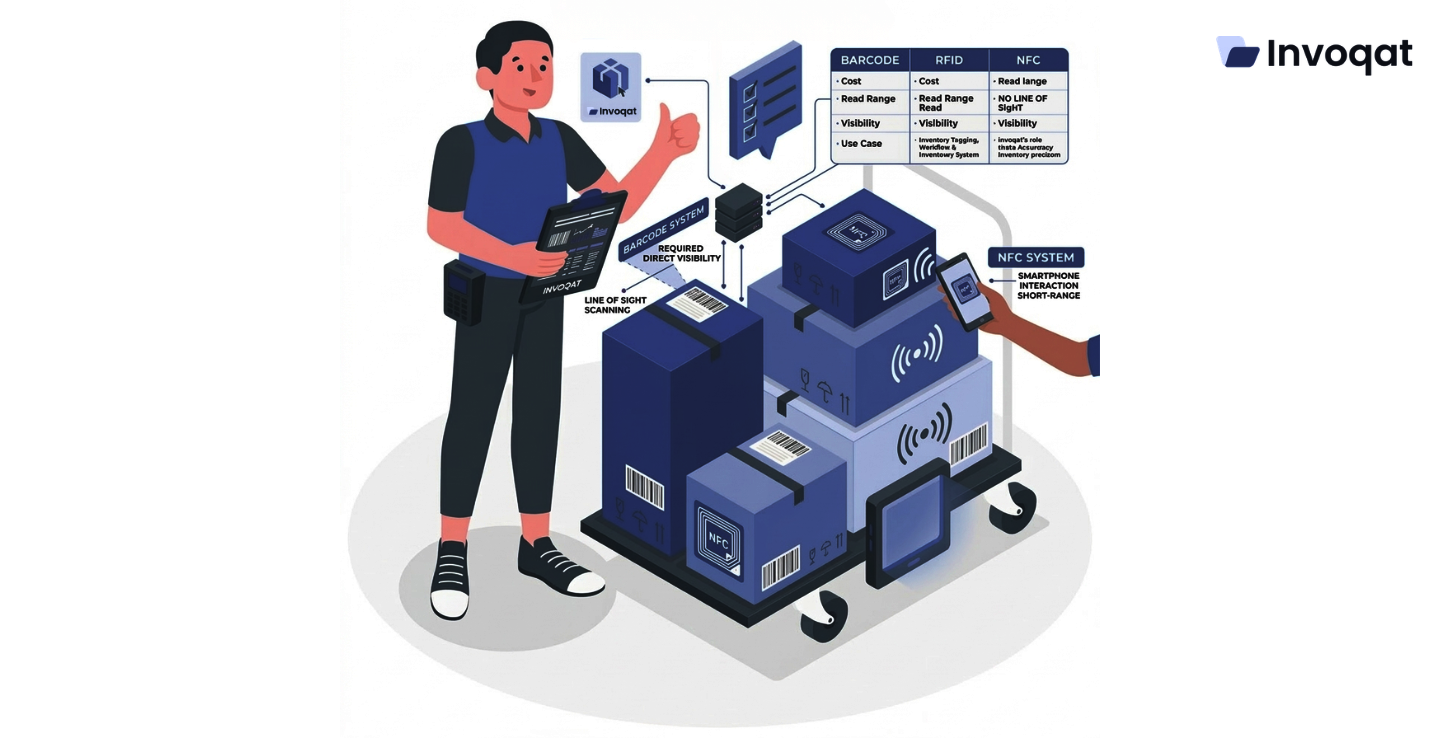
- Barcode scanners require direct visibility
- RFID readers detect items automatically
- NFC allows interaction using smartphones
Suddenly, the decision is no longer technical it becomes operational.
Organizations that choose the right tagging technology often see significant improvements in visibility, accountability, and efficiency. This is where solution providers like Invoqat help businesses align technology with real operational needs instead of adopting tools blindly.
Quick Comparison of Inventory Tagging Technologies
| Technology | Read Method | Range | Cost per Tag | Best Use Cases |
|---|---|---|---|---|
| Barcode | Optical scanning | Very short | Very low | Retail, libraries, small warehouses |
| RFID | Radio frequency | Medium to long | Medium | Logistics, manufacturing, large warehouses |
| NFC | Smartphone / proximity | Very short | Medium | Asset authentication, field service |
Why Inventory Tagging Technology Matters
Inventory data directly influences business decisions. When that data becomes inaccurate, the consequences affect multiple departments:
- Procurement orders unnecessary stock
- Finance reports incorrect asset values
- Operations waste time searching for misplaced items
Consider a real-world example.
A hospital equipment store initially used barcode labels. As operations expanded across multiple storage rooms, staff began losing track of equipment not because of theft, but misplacement. Employees spent hours scanning shelves.
After switching to RFID with doorway readers, equipment movement became automatically visible. No scanning. No guesswork.
The lesson is simple: tagging technology shapes operational behavior.
Understanding Barcode Technology
Barcodes remain the most widely used inventory tagging method globally.
A barcode is a visual pattern representing data. A scanner reads it and converts it into digital information within an inventory system.
Advantages of Barcode Tagging
- Very low implementation cost
- Easy to print and replace labels
- High scanning accuracy
- Compatible with most systems
Limitations of Barcode Systems
- Requires line-of-sight scanning
- Items must be scanned individually
- Labels may fade or get damaged
- Heavy reliance on manual effort
For smaller operations, these limitations may be acceptable. However, in large environments, manual scanning can slow productivity.
Understanding RFID Technology
RFID (Radio Frequency Identification) uses radio waves to detect tags attached to items.
Unlike barcodes, RFID does not require line-of-sight scanning. Multiple items can be detected simultaneously even inside boxes.
How RFID Works
- RFID tags store unique identifiers
- Readers emit radio signals
- Tags respond with stored data
- Systems record interactions automatically
Key Benefits of RFID
- Bulk scanning of multiple items
- No need for direct visibility
- Faster inventory tracking
- Reduced manual effort
Real-World Example
In logistics warehouses, packages pass through RFID-enabled gates. The system automatically records every item entering or leaving without scanning each one individually.
This significantly improves efficiency.
Understanding NFC Technology
NFC (Near Field Communication) operates at a very short range and is commonly used with smartphones.
Unlike RFID, NFC is designed for close interaction rather than bulk scanning.
How NFC Works
- A device (like a smartphone) taps an NFC tag
- The tag transmits stored data instantly
- The system displays information or records activity
Example Scenario
A maintenance technician taps their phone on an NFC tag attached to a machine.
Instantly, they access:
- Maintenance history
- Asset details
- Repair instructions
They can also log service updates directly from their phone.
No scanners. No paperwork.
Comparing RFID, Barcode, and NFC
Technology Comparison
| Feature | Barcode | RFID | NFC |
|---|---|---|---|
| Read Speed | One item at a time | Multiple items simultaneously | One item |
| Range | Very short | Several meters | Few centimeters |
| Hardware Cost | Low | Higher | Moderate |
| Smartphone Use | Limited | Rare | Excellent |
| Best Use | Retail | Logistics | Field service |
Each technology serves a different operational need.
Key Questions Before Choosing a Tagging Technology
Instead of starting with technology, businesses should begin with operational requirements.
Ask the following:
- How many items need tracking daily?
- Are assets frequently moved?
- Is automation required?
- Do employees need mobile access?
- What is the available budget?
Typical Outcomes
- Small retail stores → Barcode (cost-effective and simple)
- Large warehouses → RFID (automation and speed)
- Field service teams → NFC (mobile-friendly interaction)
The answers usually make the decision clearer.
Industry Use Cases
Different industries naturally prefer different tagging technologies.
Industry Preferences
| Industry | Common Technology | Reason |
|---|---|---|
| Retail | Barcode | Low cost, high volume |
| Logistics | RFID | Fast bulk tracking |
| Healthcare | RFID / NFC | Equipment tracking and authentication |
| Manufacturing | RFID | Asset movement monitoring |
| Field Service | NFC | Mobile access to data |
Integration with Inventory Systems
Tagging technology alone does not create value.
The real benefit comes from integration with inventory management systems.
Integrated systems allow businesses to:
- Track assets across locations
- Monitor stock levels in real time
- Reduce shrinkage
- Generate accurate reports
Companies like Invoqat specialize in combining tagging technologies with digital inventory platforms, ensuring that data flows seamlessly across departments.
Cost Considerations
Choosing a tagging system involves more than tag pricing.
Businesses should evaluate:
- Reader hardware costs
- Software integration
- Infrastructure setup
- Training requirements
- Ongoing maintenance
Cost Insight
- Barcodes: Low upfront cost but higher labor effort
- RFID: Higher initial investment but lower long-term labor costs
- NFC: Moderate cost, especially effective with smartphones
A Practical Decision Framework
To simplify the decision process:
Step 1: Define Operational Scale
Small vs large inventory environments
Step 2: Evaluate Scanning Needs
Manual vs automated tracking
Step 3: Consider Integration
How the system connects with existing platforms
Step 4: Assess Long-Term ROI
Focus on efficiency, not just initial cost
Many organizations consult specialists at this stage to align technology with workflows.
Conclusion
Choosing between RFID, barcode, and NFC is not just a technical decision. It directly affects how employees interact with inventory every day.
Manual scanning slows operations. Automated tracking improves speed. Mobile access simplifies workflows.
Organizations that carefully evaluate their needs often find that the right technology improves:
- Inventory visibility
- Operational efficiency
- Data accuracy
- Accountability
Solution providers like Invoqat help businesses design inventory systems that go beyond tagging. They integrate tracking technologies with digital platforms so organizations gain actionable insights rather than isolated data.
At its core, inventory technology should simplify work not complicate it.
Whether a business chooses RFID, barcode, or NFC, the objective remains the same:
Accurate visibility, efficient operations, and complete confidence in where every asset is located.
Frequently Asked Questions
Barcode requires manual scanning with line-of-sight, RFID enables automatic bulk scanning without direct visibility, and NFC allows close-range interaction using smartphones or NFC-enabled devices.
Barcodes are the most cost-effective for initial setup. However, RFID may deliver better long-term value in large operations by reducing labor and improving efficiency.
Businesses should choose RFID when they need fast, automated tracking of large volumes of items, especially in warehouses, logistics, or manufacturing environments.
NFC is better suited for asset-level interaction, such as maintenance tracking or authentication, rather than bulk inventory scanning.
Invoqat helps organizations evaluate operational needs, select the right tagging technology, and integrate RFID, barcode, or NFC systems with inventory management platforms for real-time visibility and accurate tracking.
